
Looking to implement or upgrade DataKund?
Schedule a Meeting
Workflow Automation

DataKund

Build powerful web automation bots without writing a single line of code.

Category
Software
Ideal For
SMBs
Deployment
Cloud
Integrations
None+ Apps
Security
Standard web security protocols and data protection measures
API Access
Not specified

About DataKund

DataKund is a no-code automation platform that empowers business professionals to streamline repetitive web workflows without any programming knowledge. Using an intuitive visual bot builder with drag-and-drop functionality, users can design and deploy sophisticated automation bots to handle routine tasks, data entry, form submissions, and multi-step web processes. The platform eliminates manual work, reduces errors, and accelerates productivity across teams and organizations. DataKund is ideal for professionals seeking to reclaim time spent on repetitive tasks and focus on strategic initiatives. When leveraged through AiDOOS marketplace, DataKund benefits from enhanced integration governance, seamless third-party connectivity, optimized deployment workflows, and scalable resource allocation—enabling organizations to maximize automation ROI while maintaining security and compliance standards.

Challenges It Solves

  • Employees waste hours on repetitive manual web tasks and data entry
  • Lack of coding skills limits automation capabilities for non-technical teams
  • Manual processes introduce human error and inconsistency
  • Teams struggle to scale operations without hiring additional staff
  • Switching between multiple applications creates workflow inefficiencies

Proven Results

68
Reduction in time spent on repetitive manual tasks
52
Increase in team productivity and task completion speed
41
Decrease in operational costs through process automation

Key Features

Core capabilities at a glance

Visual Bot Builder

Drag-and-drop interface for intuitive automation design

Create complex workflows in minutes without coding

Pre-Built Bot Templates

Ready-to-use automation templates for common tasks

Deploy automations immediately with minimal customization

Web Interaction Automation

Automate clicks, form fills, and data extraction from web pages

Eliminate manual web data entry and processing tasks

Scheduled Execution

Set bots to run on schedules or trigger-based events

Automate workflows 24/7 without manual intervention

Error Handling & Alerts

Built-in monitoring and notification system for bot execution

Identify and resolve issues proactively with real-time alerts

Ready to implement DataKund for your organization?

Real-World Use Cases

See how organizations drive results

Lead Data Collection
Automatically scrape and collect lead information from web forms and directories, then populate CRM systems with enriched data. Reduces manual data entry time significantly.
75
Faster lead pipeline population and sales enablement
Invoice Processing
Automate extraction of invoice data from emails and portals, validate information, and route to accounting systems. Eliminates manual invoice handling bottlenecks.
60
Faster accounts payable processing and reconciliation
Social Media Scheduling
Automatically post content across multiple social media platforms on schedule. Ensures consistent brand presence without manual posting effort.
55
Consistent social engagement with reduced manual effort
Report Generation
Extract data from multiple web sources and automatically generate consolidated reports. Delivers insights faster to stakeholders and decision-makers.
70
Timely reporting with improved data accuracy
Compliance Monitoring
Continuously monitor web pages and systems for compliance changes or policy updates. Ensures organizations stay informed of regulatory requirements.
65
Proactive compliance management and risk mitigation

Integrations

Seamlessly connect with your tech ecosystem

S

Salesforce

Explore

Sync lead and customer data directly into Salesforce for seamless CRM integration

G

Google Sheets

Explore

Export automation results and collected data to Google Sheets for analysis and sharing

S

Slack

Explore

Receive bot execution alerts and workflow notifications directly in Slack channels

M

Microsoft Teams

Explore

Send bot alerts and automation reports to Teams for team collaboration

Z

Zapier

Explore

Connect DataKund to 5000+ applications through Zapier for extended automation capabilities

E

Email

Explore

Trigger automations from emails and send results back via email notifications

W

Webhooks

Explore

Custom webhook integration for connecting to proprietary and third-party systems

Implementation with AiDOOS

Outcome-based delivery with expert support

Outcome-Based

Pay for results, not hours

Milestone-Driven

Clear deliverables at each phase

Expert Network

Access to certified specialists

Implementation Timeline

1
Discover
Requirements & assessment
2
Integrate
Setup & data migration
3
Validate
Testing & security audit
4
Rollout
Deployment & training
5
Optimize
Performance tuning

See how it works for your team

Alternatives & Comparisons

Find the right fit for your needs

Capability DataKund Snorkel Flow LinkedAI Scale Rapid
Customization Good Excellent Excellent Excellent
Ease of Use Excellent Good Excellent Good
Enterprise Features Good Excellent Good Excellent
Pricing Fair Fair Fair Good
Integration Ecosystem Good Excellent Excellent Good
Mobile Experience Fair Poor Fair Fair
AI & Analytics Fair Excellent Excellent Excellent
Quick Setup Excellent Good Good Good

Similar Products

Explore related solutions
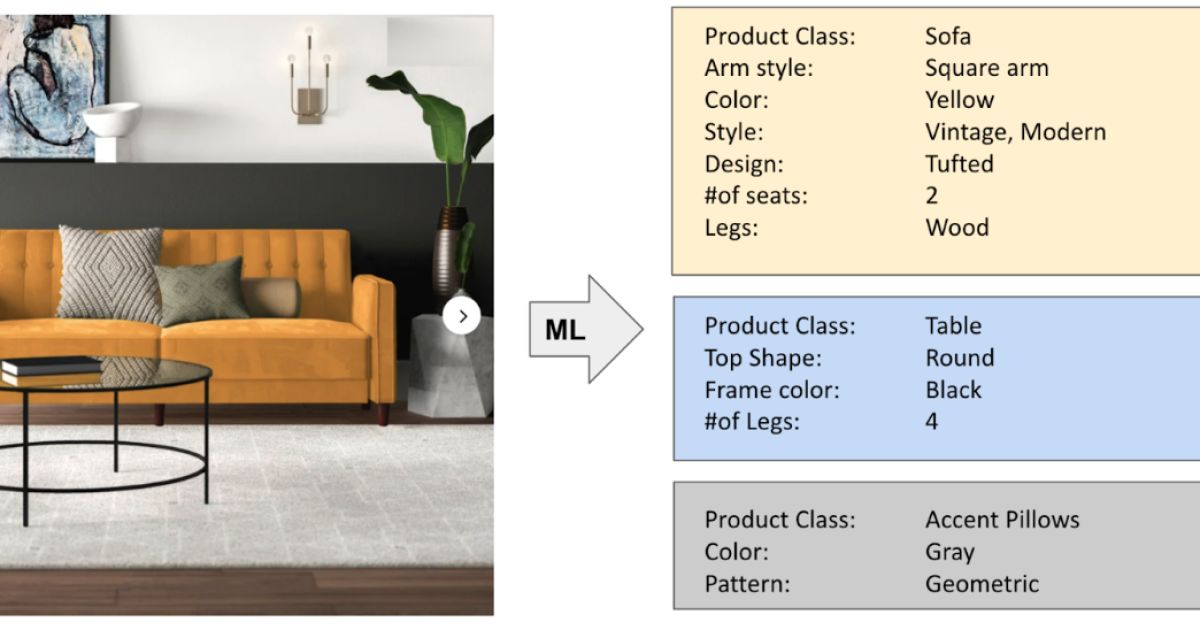
Snorkel Flow

Snorkel Flow

Accelerate AI Development with Snorkel Flow: Programmatic Data Labeling for Modern Enterprises Mode…

Explore
LinkedAI

LinkedAI

Accelerate Your AI Projects with LinkedAI: The Complete Training Data Solution Unlock the true pote…

Explore

Scale Rapid

Scale Rapid

Accelerate Machine Learning with Scale Rapid: Fast, High-Quality Data Labeling for Your AI Projects…

Explore

Frequently Asked Questions

Do I need coding skills to use DataKund?
No. DataKund is designed specifically for non-technical users. The visual bot builder uses drag-and-drop functionality, making it accessible to business professionals without any programming knowledge.
What types of web tasks can DataKund automate?
DataKund can automate form submissions, data extraction, web scraping, clicking, typing, file uploads, social media posting, report generation, and multi-step workflows across web applications.
How long does it take to build a bot?
Simple automations can be created in minutes using pre-built templates. More complex workflows typically take 30 minutes to a few hours depending on requirements and familiarity with the platform.
Can DataKund bots run 24/7?
Yes. Bots can be scheduled to run at specific times or triggered by events, enabling 24/7 automation without manual intervention. Through AiDOOS, organizations benefit from reliable infrastructure and scalable compute resources.
How does DataKund integrate with my existing tools?
DataKund integrates with popular platforms like Salesforce, Google Sheets, Slack, and Microsoft Teams. It also supports Zapier connectivity to 5000+ applications and custom webhooks for proprietary systems.
Is my data secure with DataKund?
Yes. DataKund implements encryption, role-based access control, audit logging, and complies with GDPR and data privacy standards. AiDOOS adds additional governance and compliance layers for enterprise deployments.